


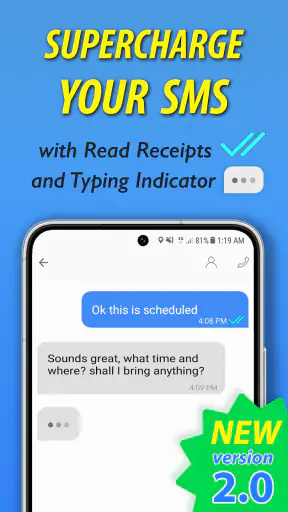
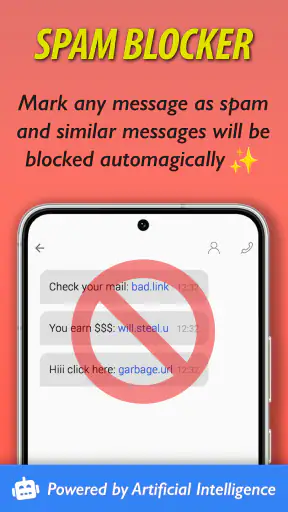

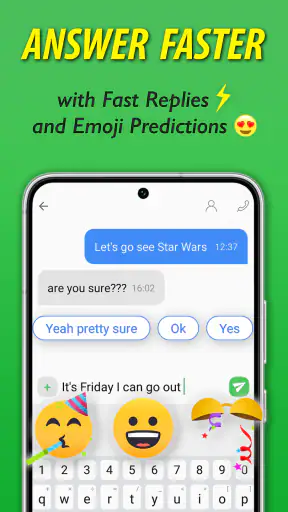
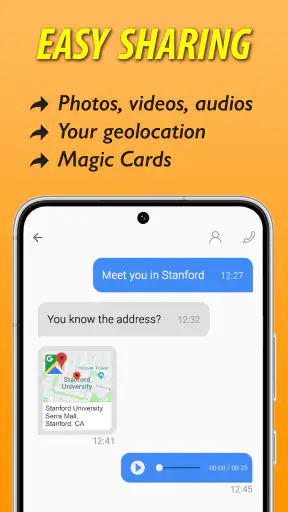
Texting is one of those phone habits I rarely think about until the conversation becomes awkward, delayed, or difficult to follow. Smart Messages takes that familiar SMS experience and tries to make it feel more current without asking me to abandon ordinary phone numbers. After spending time with it, I see the appeal: it is aimed at people who want a more capable messaging layer while still keeping texting at the center.
This is a free communication app from SMS/MMS/RCS, with a 4.1 average from around 24 thousand ratings and more than a million installs. It is rated for Everyone, supports Android 6.0 and later, and its current version is 2.1.8. Those details matter because the app is not positioned as a niche tool for technical users. It is intended to sit close to the everyday messaging routine, including for people who want something more modern than a basic SMS inbox.
How Smart Messages fits into everyday texting
The most useful way to understand Smart Messages is to compare it with the standard messaging app already on a phone. A traditional SMS app usually does the essentials well: compose a message, attach a picture, receive replies, and search through conversations. Smart Messages is built around the idea that texting can offer a richer experience through Next Generation Texting, while remaining familiar enough for casual contacts.
That balance is important. A messaging app can be full of clever additions and still fail if a parent, coworker, or occasional contact cannot use it comfortably. I found the familiar SMS foundation reassuring because it reduces the pressure to convince everyone else to install the same service. The practical benefit is strongest when I am communicating with people who use different phones or prefer ordinary texting instead of a separate social messaging platform.
It is also worth separating the app from services that depend entirely on an account-based network. Apps such as WhatsApp, Signal, or Telegram can be better choices when every participant already uses the same service and wants its particular privacy or group features. Smart Messages has a different reason to exist: it tries to improve the messaging experience without making a completely separate chat identity the center of the conversation.
That makes it especially relevant for mixed-contact lists. I might have one friend who prefers a dedicated messenger, a relative who only checks SMS, and a work contact who does not want another account. A single app that stays close to normal texting can be less disruptive than switching between several platforms throughout the day.
What the free download actually means
The app itself is free to download, which makes trying it relatively straightforward. I can explore its approach without paying an entry fee, and that is the most important value point for someone deciding whether to replace a default messaging tool. The free access makes sense for an app whose usefulness depends on becoming part of a daily habit rather than being opened once in a while.
There are in-app purchases listed from $0.99 to $10.99 per item. I would not treat those figures as a reason to assume that every useful function requires payment. They simply mean that optional purchases exist within the app. Before buying anything, I would check exactly what the item unlocks and whether it improves a feature I will use regularly. The free starting point is clear; the value of any paid extras depends on their specific purpose and on how often I message.
This distinction prevents a common mistake with free communication apps. “Free” can mean a genuinely usable core product, or it can mean a limited preview that constantly pushes upgrades. My approach here would be practical: install it, test the conversations and workflows I actually use, and only consider a purchase if a particular addition solves a real annoyance. Someone who only needs straightforward texting may never need to spend anything.
Where the app can save time in real situations
One realistic example is coordinating a family pickup. I may need to tell several people that plans have changed, send a location or photo, and keep replies in one conversation. With a basic SMS tool, that can feel fragmented, especially when attachments or group replies become involved. Smart Messages is more appealing in that situation because its purpose is to make ordinary texting feel less bare-bones.
Another useful case is communication with a business or service that does not use my preferred chat platform. I do not want to create an account, explain a new app, or wonder whether the other person will see my message. Keeping the interaction close to the phone’s established messaging behavior can be more convenient than moving the conversation elsewhere.
I also see value for people who send many short updates during the day. A dedicated messenger may offer more social features, but that can be unnecessary when the goal is simply to keep conversations organized and easy to reach. Smart Messages is at its best when the message itself matters more than building a separate online community around it.
Small workflow choices that make a difference
My first tip is to treat the app as a replacement candidate, not an extra inbox. If I install it but continue checking another messaging app by habit, I create confusion rather than gaining convenience. I would choose a short trial period, move my attention to Smart Messages, and see whether conversations remain easy to find and respond to.
Second, I would test the people I contact most often before judging the app. Messaging experiences can vary depending on whether a contact is using a compatible newer texting capability or a more basic route. A conversation with one person may feel richer than a conversation with another, so checking several real contacts is more useful than sending a single test message to myself.
Third, I would use a family or group conversation as a stress test rather than relying only on one-to-one chats. Groups expose the practical weaknesses of a messaging app quickly: unclear replies, awkward media handling, or difficulty keeping track of who has responded. If Smart Messages fits those conversations, it is more likely to earn a permanent place on my phone.
Finally, I would avoid paying for an optional item until I know that the free experience is already comfortable. A purchase should remove a specific obstacle, not serve as a hopeful upgrade. This is particularly important for occasional texters, who may gain everything they need from the no-cost version.
Strengths, limitations, and the people who should choose it
The main value is compatibility with ordinary habits
The strongest argument for Smart Messages is not that it turns texting into a completely different social network. It is that it tries to improve a communication method people already understand. That lowers the learning curve and makes the app easier to recommend to someone who does not want a complicated setup.
I appreciate that the concept focuses on practical communication rather than forcing every contact into the same ecosystem. For mixed groups, that can be more useful than a polished chat service that only works well when everyone has joined it. The app’s broad age rating also fits this approachable role: it is presented as an everyday communication tool rather than a specialized platform for a narrow audience.
The developer name, SMS/MMS/RCS, also makes the product’s direction fairly clear. It is centered on the messaging standards and formats associated with phone texting, rather than presenting itself as a completely separate social destination. That helps set expectations before installation.
Where dedicated messengers may still be better
The trade-off is that a texting-focused app may not be the best answer for every communication need. If my main priority is encrypted conversation, a service built specifically around that requirement may be a better choice. If I need a large community, extensive desktop workflows, or a platform where all participants already share accounts, a dedicated messenger can offer a more complete environment.
Smart Messages also may not eliminate every limitation associated with texting. The experience can depend on the people at the other end and on how their devices handle the conversation. That means I should not expect every contact to receive exactly the same capabilities. The app can improve my side of the exchange, but it cannot make every recipient use the same messaging setup.
There is another subtle trade-off: staying close to standard texting is convenient, but it can also feel less distinctive than an app designed around a full chat ecosystem. People who enjoy stickers, social discovery, channels, or elaborate group tools may find the experience too focused. In that case, Smart Messages is not necessarily poor; it is simply solving a narrower problem.
Who is likely to get the most value
I would recommend trying it if your contact list is mixed, your current SMS app feels dated, and you want a more capable texting experience without asking everyone to move to a new platform. It is also a sensible option for someone who wants to experiment at no upfront cost and decide later whether any optional purchase is worthwhile.
It should appeal to practical texters more than feature collectors. If I mostly send quick updates, coordinate plans, exchange media, and keep in touch with people using different phones, the app’s approach makes sense. The value comes from reducing friction in those everyday exchanges, not from turning messaging into a hobby.
I would be more cautious if privacy-first communication is my central requirement, or if all my important contacts already use another service successfully. In those situations, switching may add another layer without solving a real problem. The same applies to people who rarely send messages and are perfectly satisfied with the phone’s built-in option.
What to check before making it your default
Before committing, I would check four things during normal use. First, do my most frequent contacts receive and answer messages in the way I expect? Second, are group conversations easy to follow? Third, do attachments and richer exchanges feel more convenient than they did in my previous app? Fourth, can I understand which optional purchases are useful before spending money?
I would also pay attention to the transition itself. Changing a default messaging app can be more disruptive than installing an ordinary utility because texting is tied to daily communication. I would keep the old setup available while testing Smart Messages, make sure important conversations remain accessible, and only then decide whether the change is worth keeping.
The app has been available since November 22, 2019, so it is not a brand-new experiment. Its current version is 2.1.8, and support begins with Android 6.0. That older minimum requirement is helpful for people using compatible older phones, although anyone with a newer device should still judge the experience by how well it fits their particular messaging routine.
My buy-or-skip verdict
My verdict is to try it for free if you want to modernize SMS without abandoning the familiar phone-number-based habit. The free entry point makes the decision low-risk, while the optional purchases mean I would evaluate paid value carefully instead of assuming an upgrade is necessary. For a person who needs a bridge between basic texting and richer messaging, that is a reasonable proposition.
I would skip it if my existing messenger already handles every important conversation well, or if I need a platform built primarily around privacy, communities, or advanced collaboration. In those cases, Smart Messages may duplicate what I already have rather than improve it.
For me, the app’s appeal is its middle ground. It does not ask ordinary texting users to become power users, yet it recognizes that basic SMS can feel limiting. The best result comes when I use it deliberately: test it with real contacts, judge group conversations, understand the free experience, and treat each optional purchase as a separate decision. Its value is practical rather than flashy: better everyday texting for people who want more, but not a completely different way to communicate.


